
Field doctrine
The PACE framework.
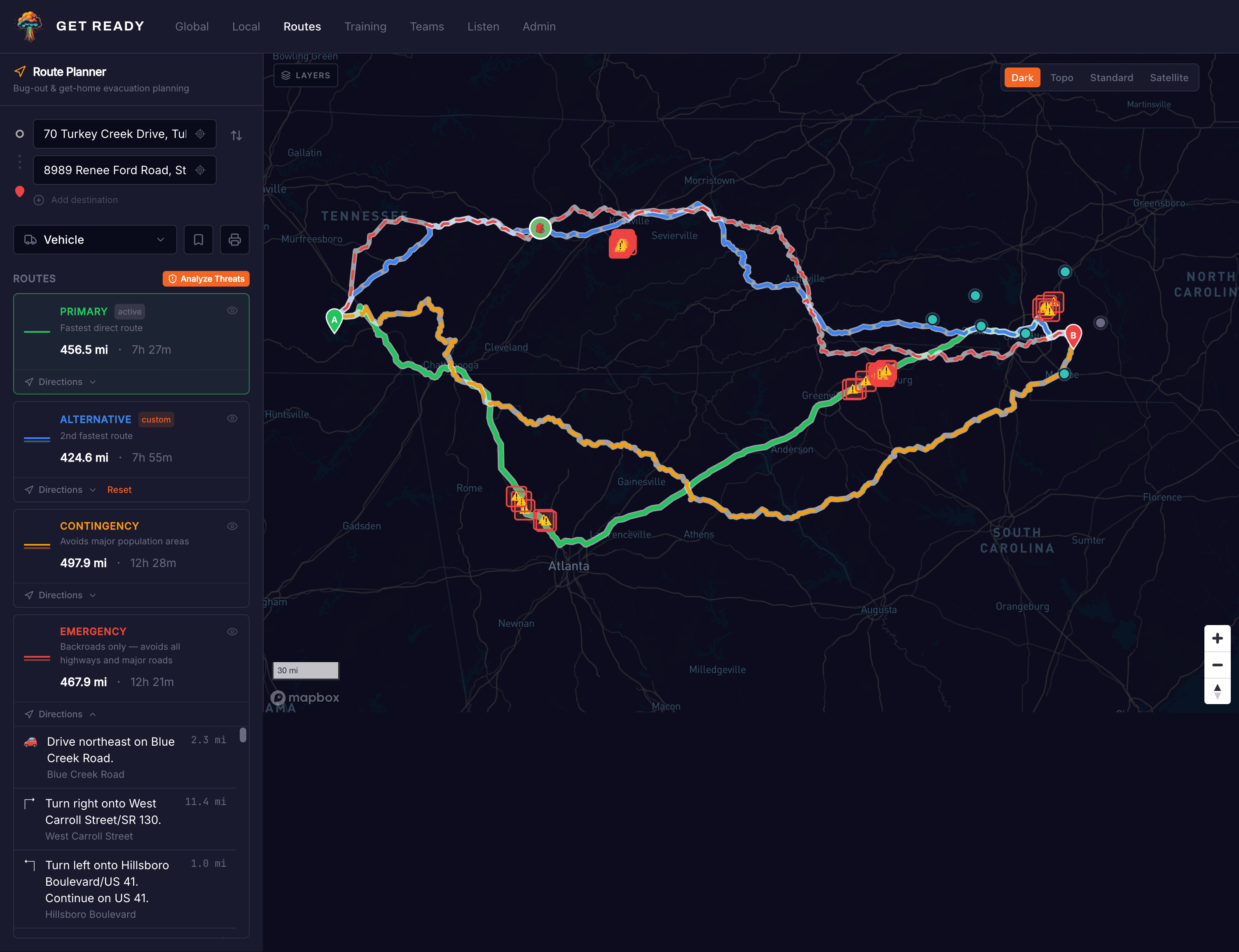
Plan four routes in priority order. Conditions decide which one you execute. Having all four ready means you never improvise under pressure.
Fastest direct route
Optimized for speed under normal conditions. The route your household knows by heart, timed, and ready to execute without a second thought.
Second fastest, lower exposure
When the primary is congested or blocked, Alternative is the immediate fallback. Pre-calculated. No improvisation under pressure.
Avoids population centers
Routes through smaller corridors with significantly lower friction during regional emergencies. Slower by design, not by accident.
Backroads only. No highways.
Secondary and tertiary roads only. Reserved for scenarios where primary infrastructure is compromised, controlled, or gridlocked.
Intelligence
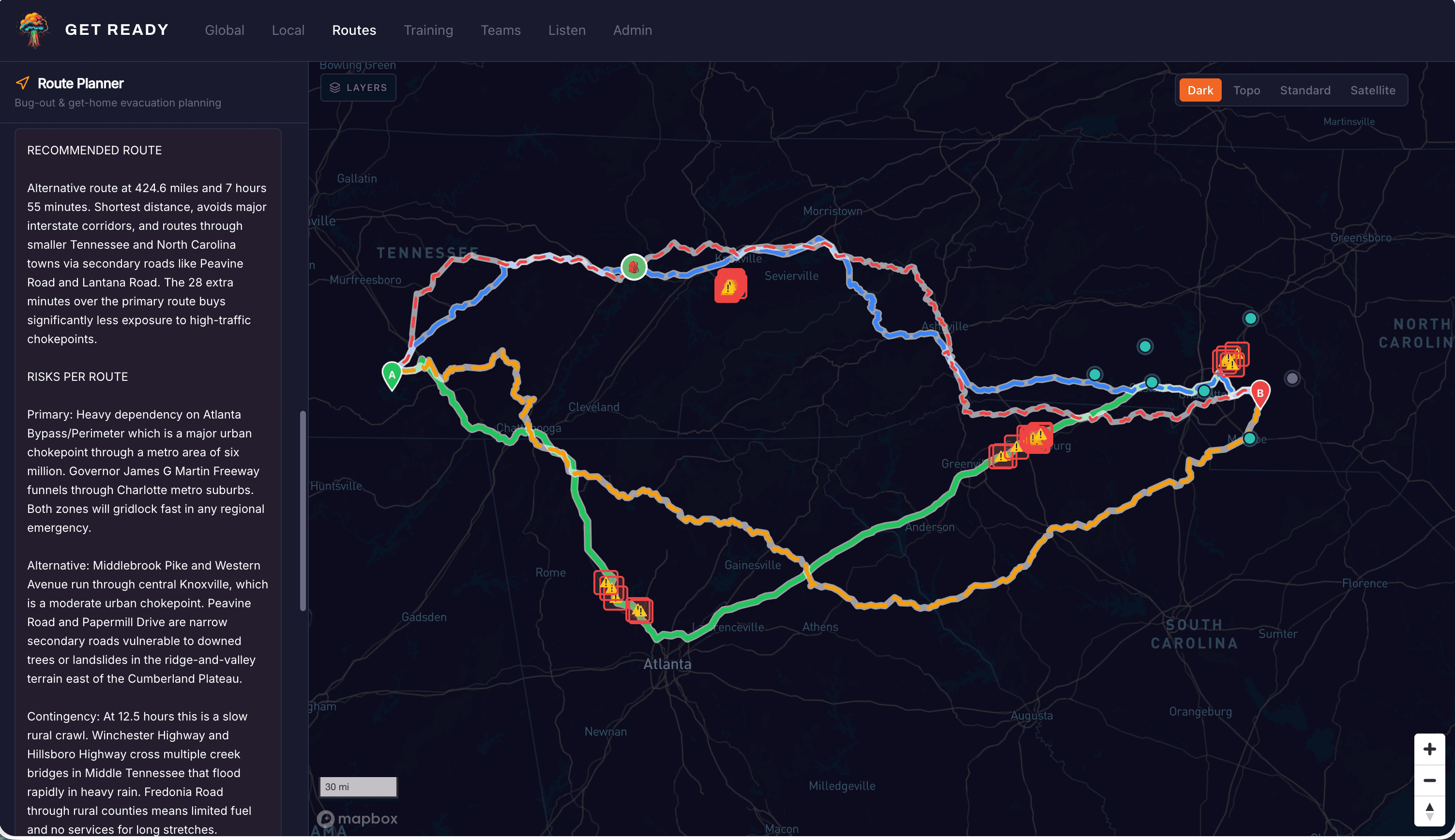
Threat analysis before you move.
Press Analyze Threats and Get Ready evaluates every route against live hazard data. Chokepoints, violence incidents, population density, bridge vulnerability, and flood corridors. You get a plain-language recommendation with risks called out per variant.
Terrain
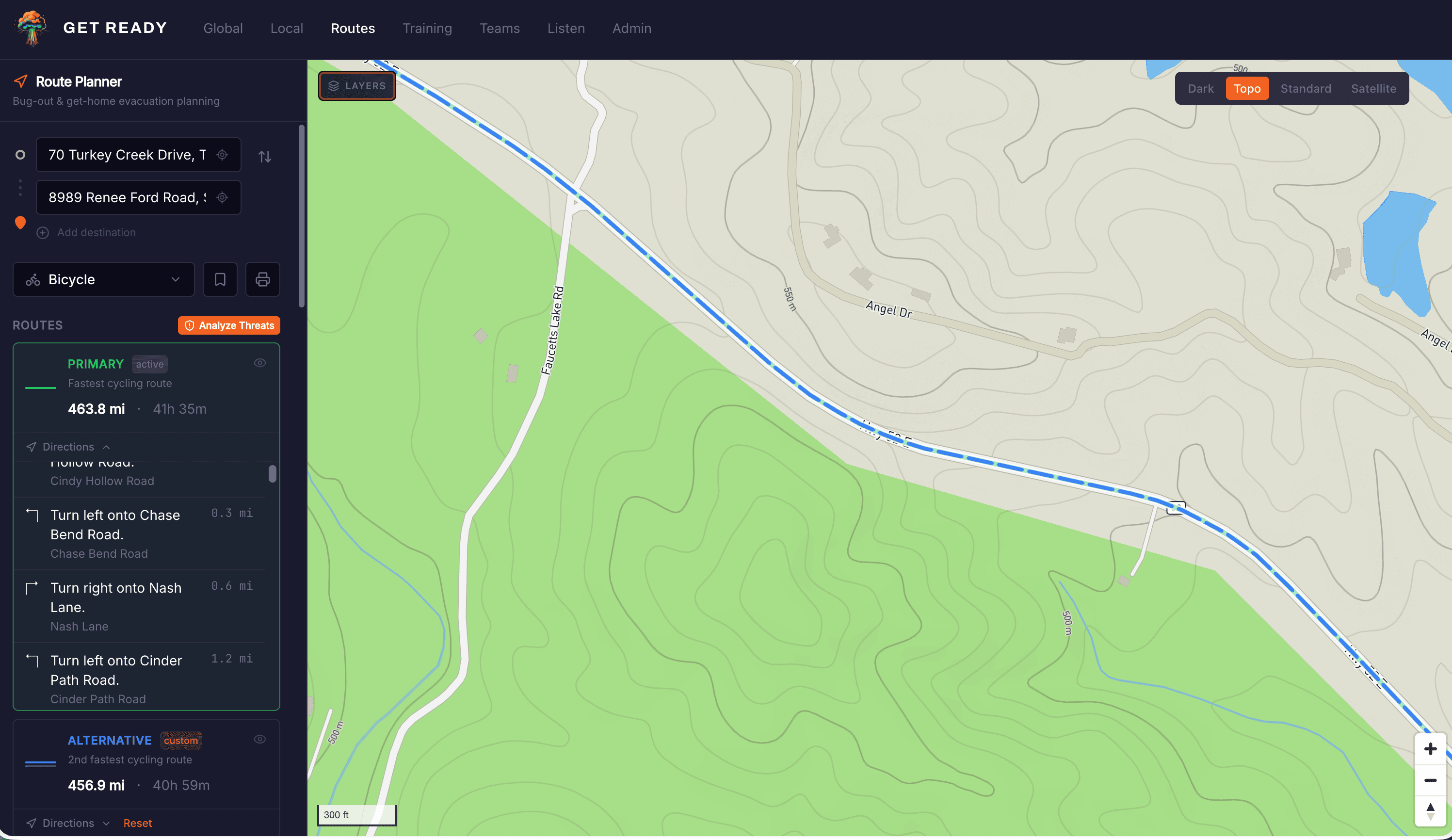
Four map layers. One decision.
Switch between dark tactical, topographic, standard, and satellite. Topographic reveals what your route actually crosses: ridge lines, valleys, flood plains, mountain passes. Planning through the Appalachians is a different problem than planning through the piedmont.
Capabilities
Intelligence at every waypoint.
Hazard overlays
Violence incidents, chokepoints, bridges, tunnels, and population density overlaid per route. Compare exposure before you commit.
Infrastructure markers
Hospitals, fire stations, water treatment, and airports plotted automatically within your planning radius.
Private markers
Fuel caches, safe houses, water sources, and staging areas. Visible only to you and the team members you authorize.
Three transport modes
Vehicle, bicycle, or foot. Contingency routes account for road type. Not every backroad that works for a truck works for a sedan.
Saved routes
Name and save up to four variants per area. No re-entry of waypoints when time is short.
Print-ready cards
Waypoints, turn-by-turn directions, distances, and hazard notes on one page. GPS is not guaranteed when conditions deteriorate.
Community markers
Crowdsourced road closures, access points, and resource locations. Reviewed before publication.
Team sharing
Share routes and private markers with up to twelve team members. Everyone operates from the same plan.
Offline ready
When connectivity fails, paper doesn’t.
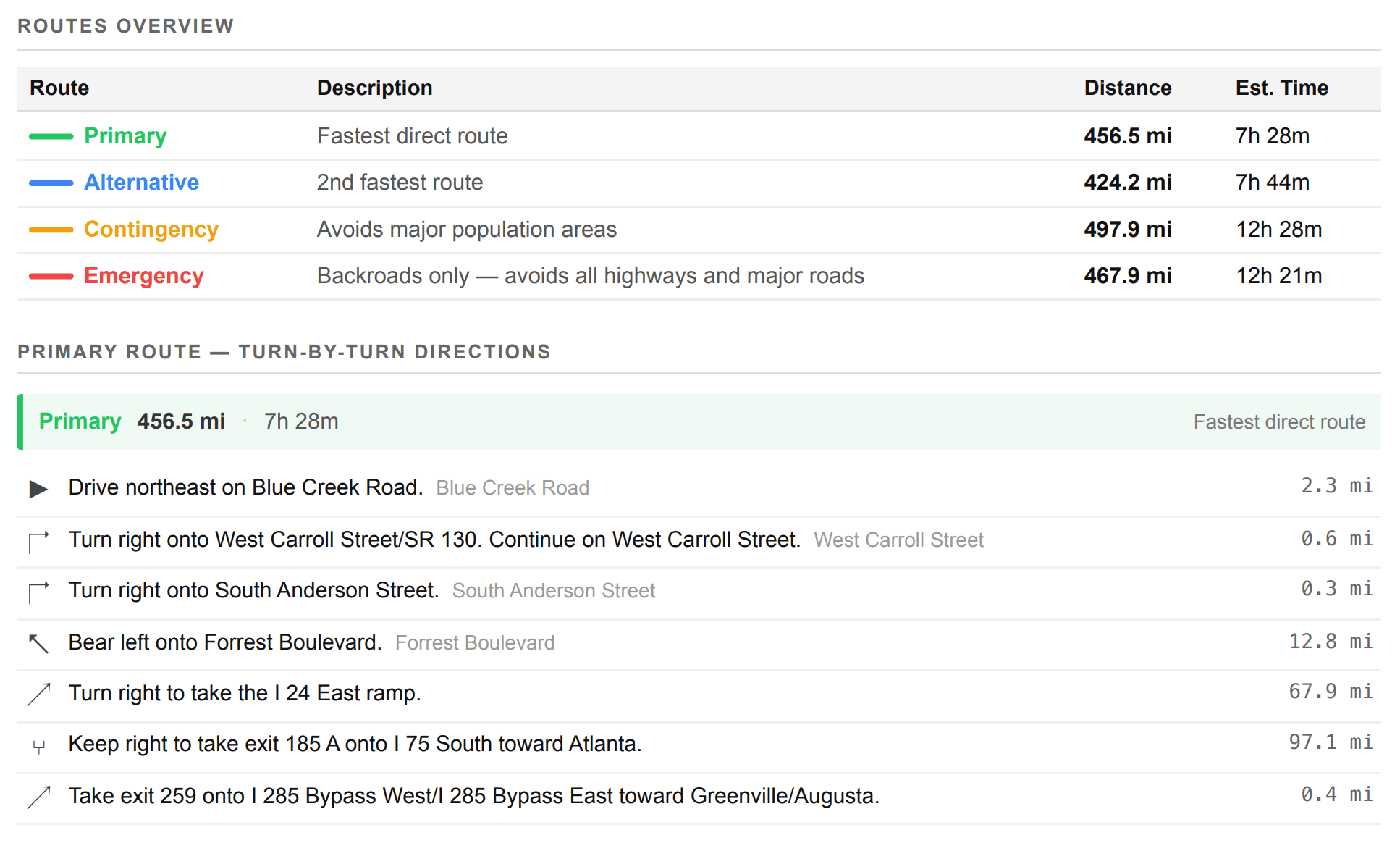
Print-ready route card
Every route exports as a one-page laminate card. Waypoints, turn-by-turn directions, distances, fuel checkpoints, and hazard notes. Works without a phone, signal, or power.
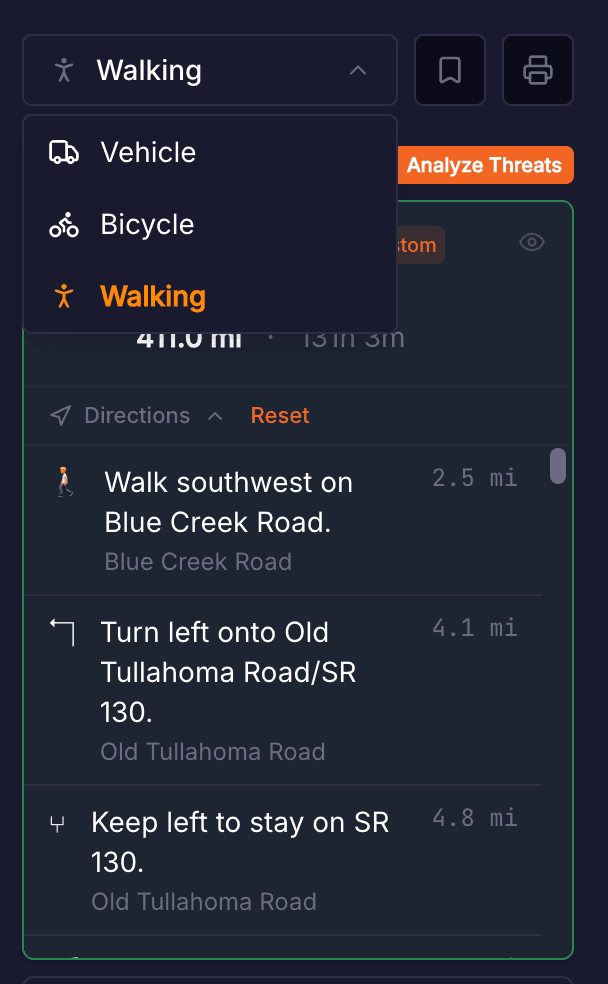
Vehicle, bicycle, or foot
Contingency and emergency routes account for road type. A backroad that works for a truck may not work for a sedan. A foot route finds paths and trails that vehicles cannot use.
Included in every account
Plan now. Move fast later.
Routes is included in every Get Ready account. Start with your home area, map your primary route, then build out alternatives. The work you do now is the margin you have later.